
Hammer Scripting
Oxygen bottle scripting for I’m on a boat, a Half Life 2: Episode 2 individual project.
I’m on a boat!, a single player level for Half Life 2: Episode 2, requires the player to manage their oxygen resource while fighting their way off a sinking ship, infested with Zombies and Headcrabs. The player must make a decision on holding their oxygen tank for more oxygen or wielding a weapon to defend themselves, both cannot be done at the same time. The sinking ship provides a dynamic water environment as water levels change causing physics objects to respond appropriately. The oxygen bottle can also act as an explosive allowing the player to destroy a wall or blow enemies away, similar to the final scene in Jaws.
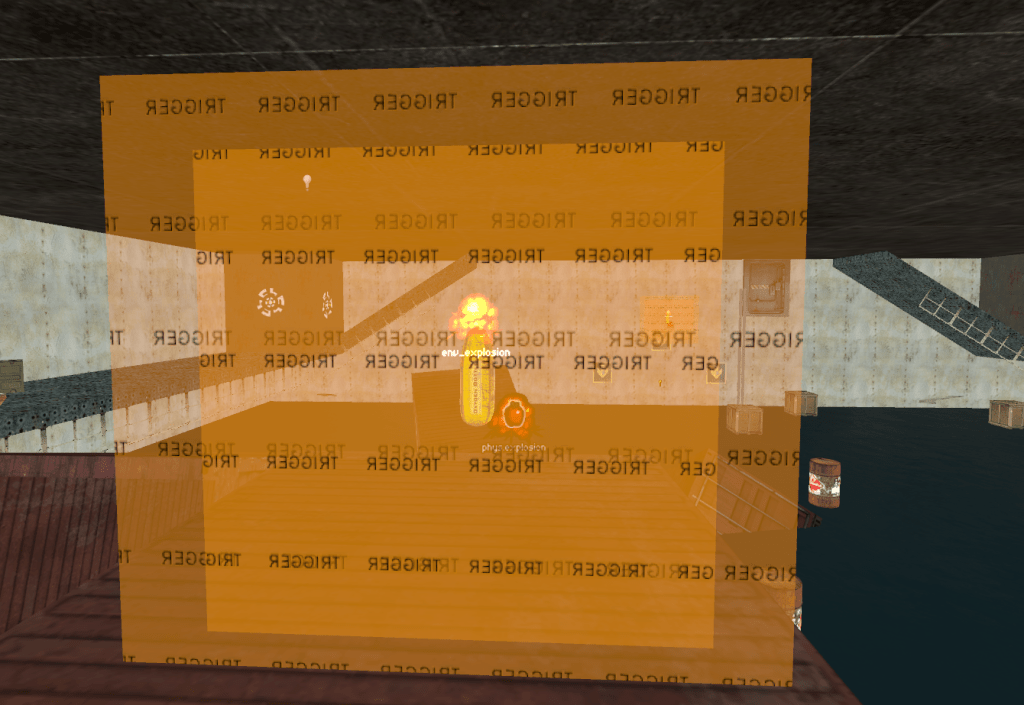
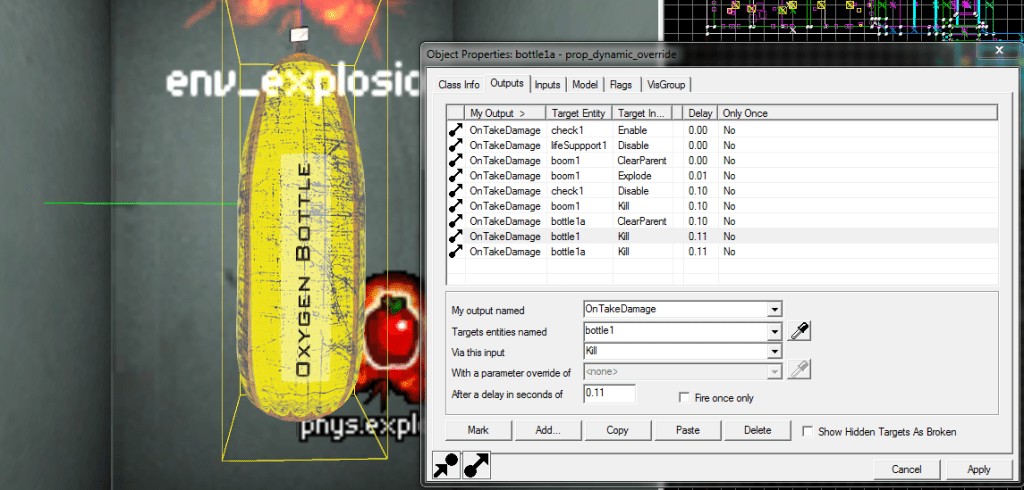
Scripting the Oxygen Bottle contains 2 trigger volumes and physics explosion and an environment explosion. All are parented to a clipboard as a prop_physics to float correctly. The actual oxygen bottle that is seen in game is parented to the clipboard also. The inner trigger box is the exact range of the player’s reach, so that when the player holds the bottle, the suit is supplied with infinite oxygen, thus allowing the player to swim freely while holding the bottle. The outer trigger box serves as a filter to detect when the bottle is close enough to a destructible item. When the bottle takes damage, both explosions are set off and the triggers are destroyed.The oxygen bottle can only be destroyed by the player, not enemy zombies. This is done with a filter that checks who caused the damage to the bottle.
Third person HUD.
The following is a scripting example for a yet finished third person tactical shooter using the Hammer engine.
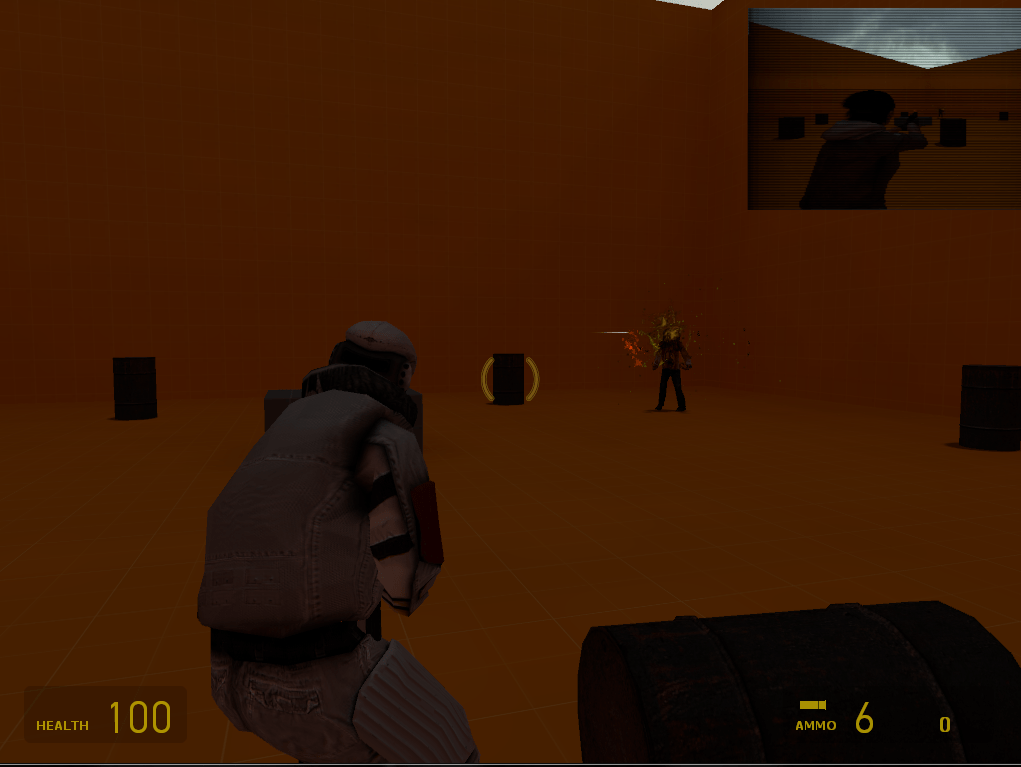
The above image is proof of tech scripting for a third person shooter in Hammer. In the top right corner, a live feed of a friendly AI’s vantage point can be seen, similar to tactical shooters like Ghost Recon.
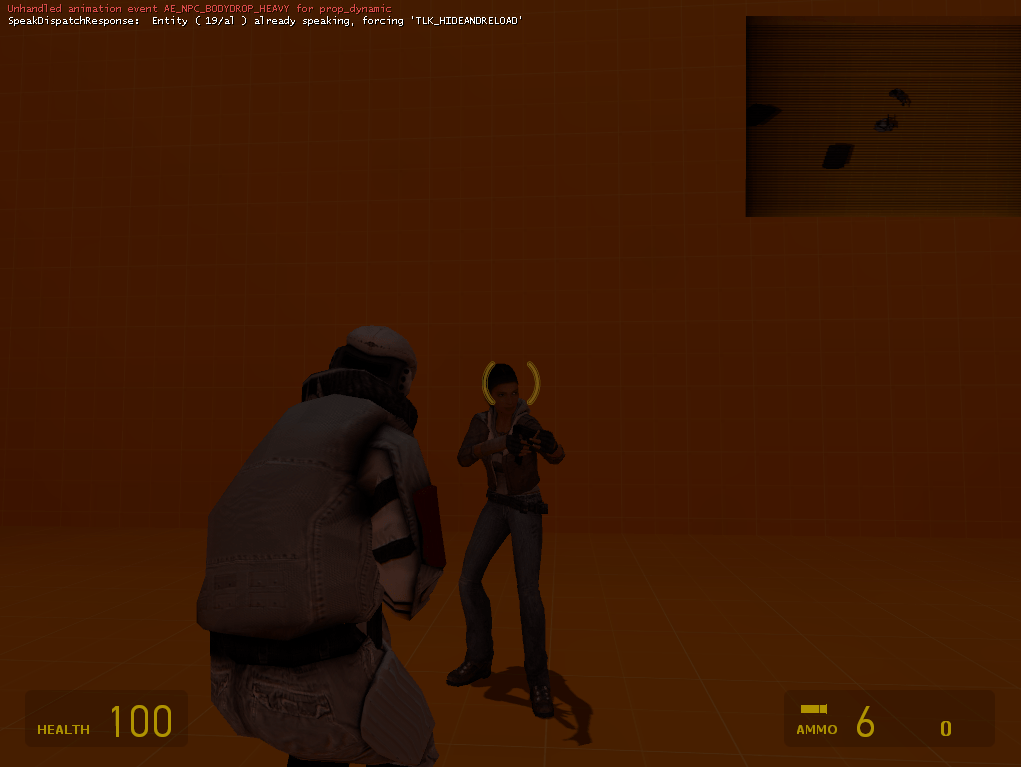
The HUD now shows a top down view of the players similar to what a UAV would do in a real life scenario, providing useful tactical data to the player.
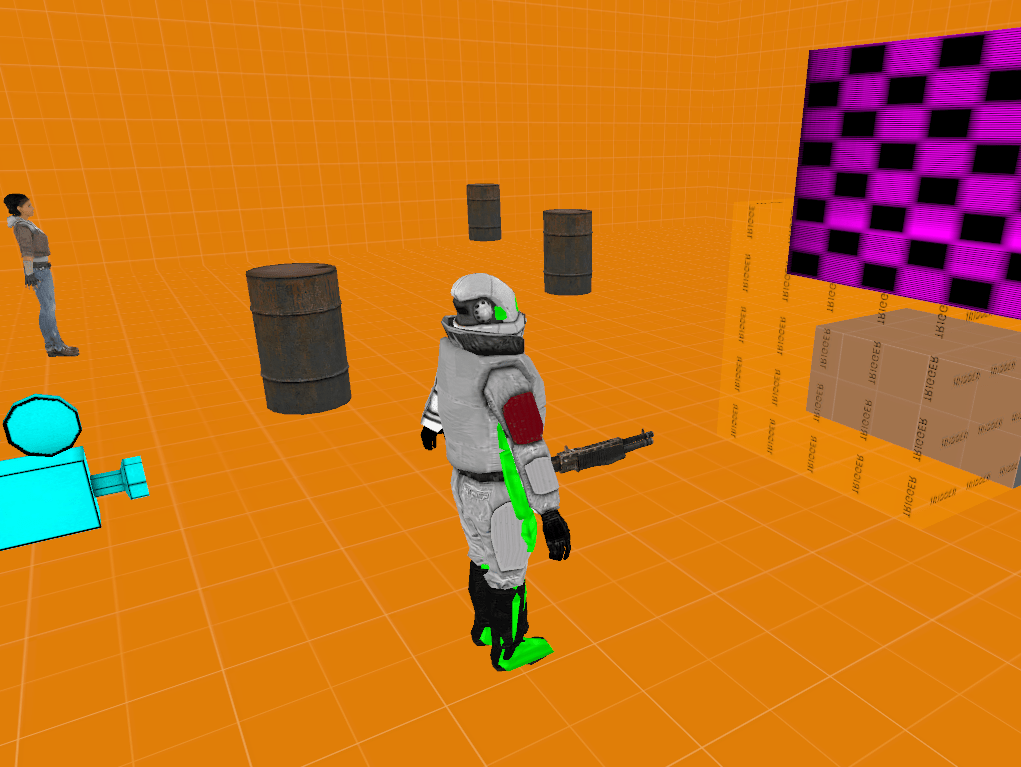
A prop_dynamic combine soldier is attached to the player (middle of screen). A camera entity is placed a few units behind the player start to give the appropriate third person perspective, it is also parented to the player. Finally, a func_monitor is placed slightly in front of the player start and in view of the third person camera; this monitor is parented to the camera.
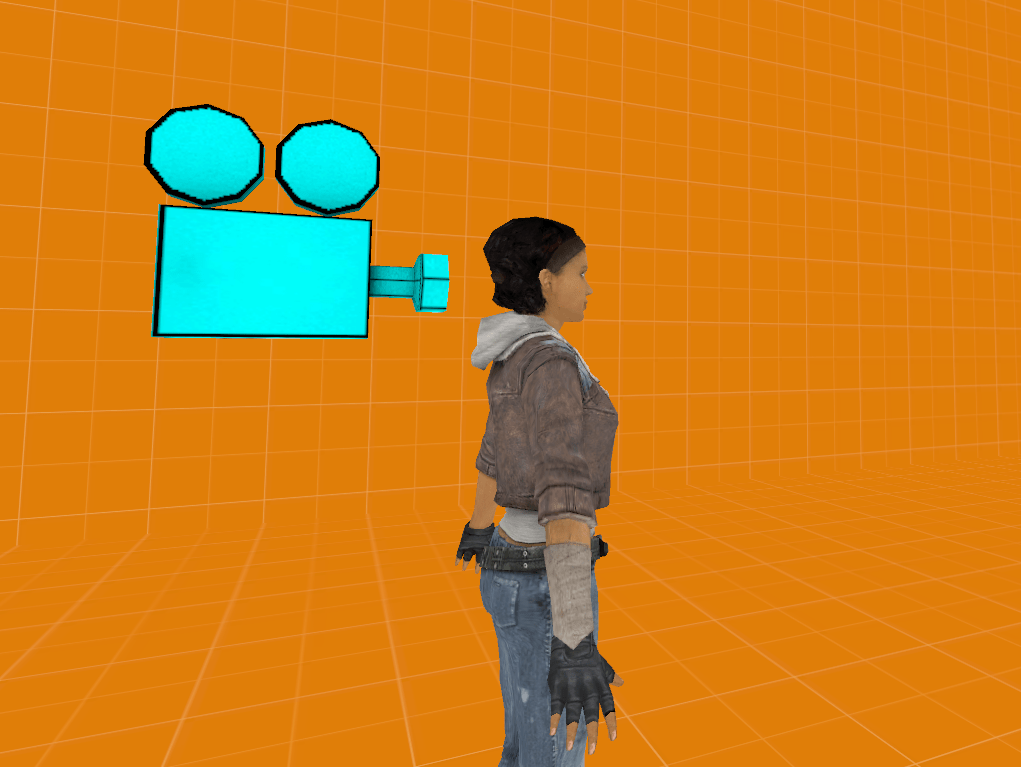
A camera is placed behind and offset of a friendly AI, this camera feeds to the func_monitor for the HUD. Multiple cameras can be placed in the level and the HUD can swap to any camera the designer wishes.
 jasonsloandesign